

MCP for your AI tools
work.studio runs an MCP server. Connect an MCP client such as Claude Code or VS Code to it, and the client can work with your organization as you: list and run automations, check runs, read and update tasks, search knowledge bases, and more.
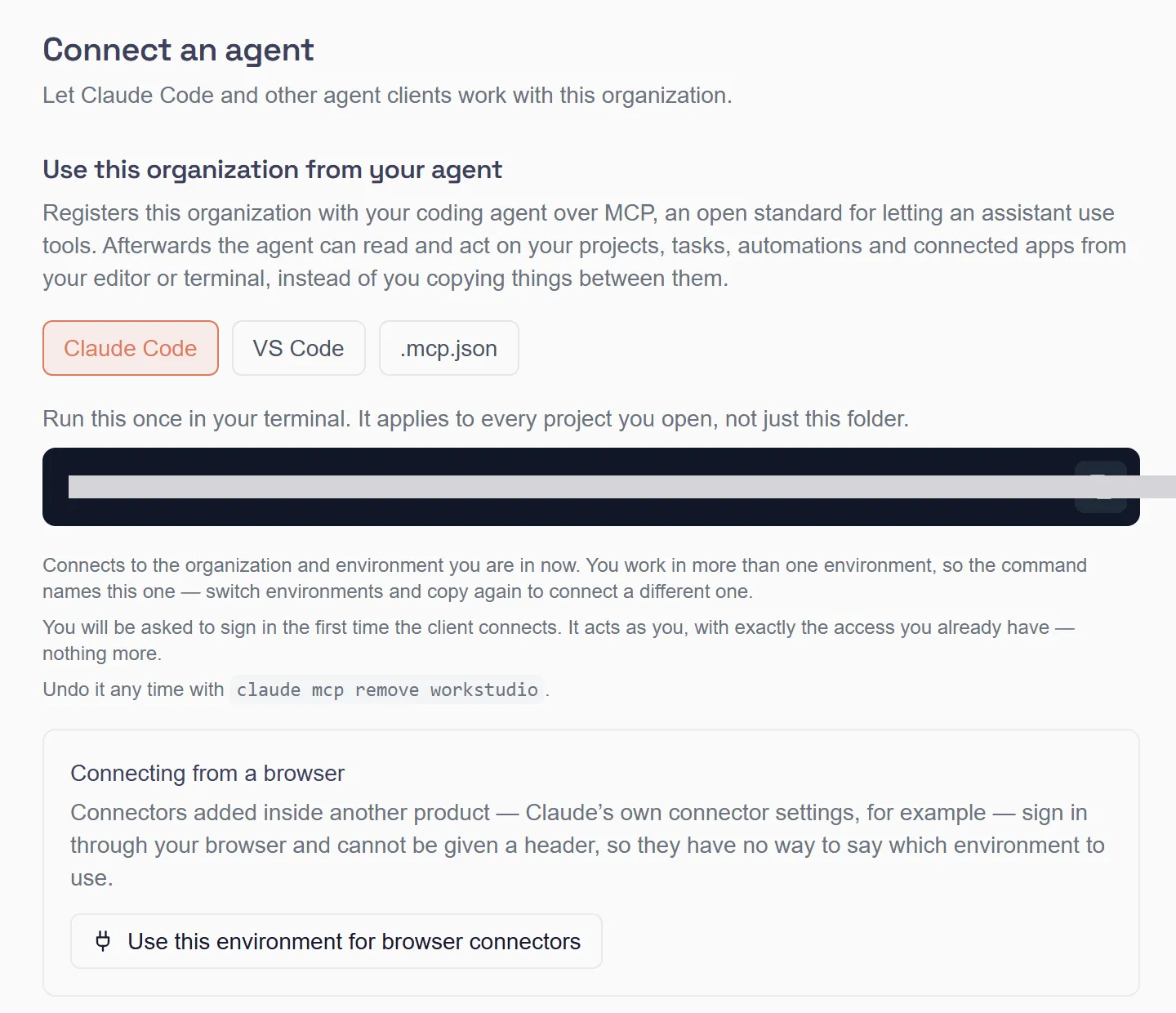
Connect from my.studio
Section titled “Connect from my.studio”my.studio gives you the exact command for your client.
- In my.studio, open Settings.
- Under Developer, select Connect an agent.
- In Use this workspace from your agent, pick your client: Claude Code, VS Code or .mcp.json.
- Copy the command and run it, or select Download .mcp.json and put the file in your project.
- The first time the client connects, it asks you to sign in to work.studio.
For Claude Code the command has this shape. Copy the real one from my.studio, because it carries your server URL and sign-in client id:
claude mcp add --scope user --transport http --client-id <client-id> workstudio <server-url>The client signs in as you and gets exactly the access you already have, nothing more. If you belong to more than one environment, the command names the current one. Switch environments in my.studio and copy the command again to connect a different one.
To disconnect Claude Code, run claude mcp remove workstudio.
What the client can do
Section titled “What the client can do”The server offers tools named workstudio_…. Among them:
| Tool | What it does |
|---|---|
workstudio_list_workflows, workstudio_get_workflow |
List your automations and read one |
workstudio_run_workflow |
Run an automation |
workstudio_create_workflow, workstudio_clone_workflow |
Create an automation, or copy one |
workstudio_list_runs, workstudio_get_run |
Check recent runs and their results |
workstudio_list_tasks, workstudio_create_task, workstudio_update_task |
Work with tasks |
workstudio_list_knowledge_bases, workstudio_query_knowledge |
Find and search knowledge bases |
workstudio_list_connections, workstudio_list_agents |
See your connections and agents |
workstudio_delegate |
Describe a task and hand it to a work.studio agent, which plans and carries it out |
Your client lists the full set when it connects.
Connect with an API key instead
Section titled “Connect with an API key instead”For a script or a server with no person to sign in, send an organization API key to the same server in X-API-Key. Read Tools (tool:read) is enough for tools that only read; tools that change something need Update Tools (tool:update). A key without tool:update isn’t offered those tools, and a call to one is refused with an error result: nothing runs. Customer keys are refused here.
Not the same as MCP Servers
Section titled “Not the same as MCP Servers”Two other MCP features are separate from this page:
- MCP Servers, in the full Designer view, is for adding other MCP servers as tools for your agents. It is off by default and isn’t available yet.
- Customer MCP URLs let your customers’ AI assistants use the accounts they connected in your product. See Customer MCP URLs.